
Pokémon binder guide
How to organise Pokémon cards
in a binder.
To organise (or organize) Pokémon cards in a binder, pick one rule, give every card a pocket and leave room for the ones you still need. Try the layout in a free online virtual binder first.
1. Choose how to organise (organize) your Pokémon cards
A binder stays easy to browse when every page follows the same rule. Pick the rule before you place the first card, and write it on the first page or in the binder name.
- Set and collector number: the usual choice for completing an expansion. The number and the expansion symbol are printed at the bottom of the card.
- Pokédex number: every Pokémon in National Pokédex order, often across many sets. Trainer and Energy cards need a section of their own.
- Type: Fire, Water, Grass and so on, with each type starting on a fresh page so the colours stay together.
- Artist: the illustrator's name is printed on each card, so an artist binder groups artwork you love across sets and eras.
- Favourites or trade: a loose binder for the cards that matter to you, or the ones you are willing to swap. Keep trade copies out of your set binders.
You can mix rules across binders, but not inside one page. A set binder and a separate Charizard binder are both easy to read; a page that switches from number order to type order is not.
2. The same nine cards, two orders
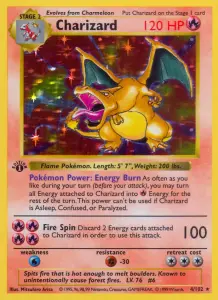
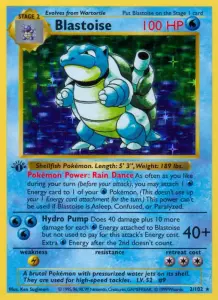
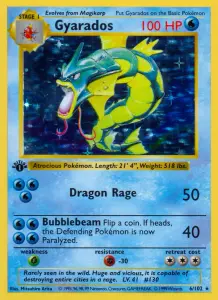
The first nine cards of the original Base Set fill one 9-pocket page. In collector-number order they happen to run alphabetically, because the original Base Set numbered its holo rares from A to Z. In Pokédex order the same page starts with Charizard.
| By set number | By Pokédex number | |
|---|---|---|
| 1 | Alakazam (No. 1) | Charizard (#006) |
| 2 | Blastoise (No. 2) | Blastoise (#009) |
| 3 | Chansey (No. 3) | Clefairy (#035) |
| 4 | Charizard (No. 4) | Alakazam (#065) |
| 5 | Clefairy (No. 5) | Machamp (#068) |
| 6 | Gyarados (No. 6) | Magneton (#082) |
| 7 | Hitmonchan (No. 7) | Hitmonchan (#107) |
| 8 | Machamp (No. 8) | Chansey (#113) |
| 9 | Magneton (No. 9) | Gyarados (#130) |
Set order makes a missing card easy to spot against a checklist. Pokédex order makes one Pokémon easy to find, but every new set adds cards in the middle of the binder, so leave spare pockets after each Pokémon you collect heavily.
3. Place variants and extras
Decide which printings count as separate cards before you start. If you collect both a regular print and its Reverse Holo, give each one a pocket and keep the pair side by side, or put all Reverse Holos in their own section after the main run.
Most secret rares carry a collector number higher than the set's printed total, so they belong after the last regular number. Promos, stamped cards and product exclusives go in a named section of their own, so the numbered sequence stays clear.
For a wider “master set”, list your scope first: which finishes, promos and secret rares count. The Pokémon binder planner walks through that checklist and a worked Reverse Holo count.
4. Leave gaps for missing cards
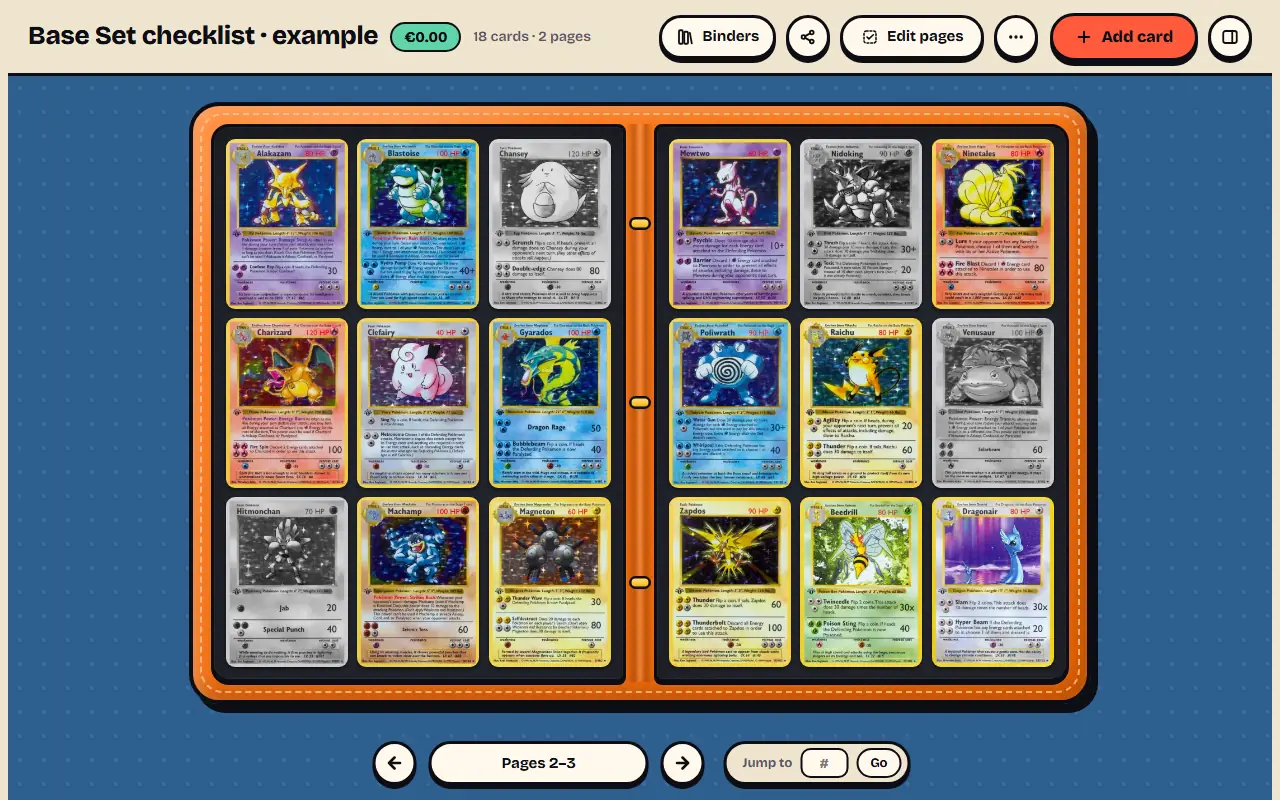
Reserve a pocket for every card you still want. If card 20 is missing, leave its pocket empty instead of moving card 21 forward; otherwise every later card shifts each time you fill a gap.
In Digital Binder, place the card you want and mark the copy Unowned. It stays grey in its pocket and does not count towards the binder's value, so your missing cards act as a wishlist in the right place. When you get the card, switch it to Owned.
5. Split big collections and count pages
One binder per set, per language or per era keeps each book manageable. A favourites or trade binder sits beside them. When a set binder fills up, start a second binder at a clear break, such as the secret rares, rather than in the middle of the number run.
Count pages before you buy or arrange anything. A checklist of 165 entries needs 19 nine-pocket page sides: 18 full sides hold 162 cards and the 19th holds the last three, with six spare pockets. In a physical binder that is at least 10 double-sided sheets. The free binder page calculator works this out for any checklist and shows how many cards fit in common binders.
Many collectors prefer zip or side-loading binders for valuable cards, because ring binders can press into the cards nearest the rings. Check the sheet count and pocket size before you buy.
6. Set it up in Digital Binder
Choose New binder, enter a name, pick a Binder Size (Small 4-Pocket, Normal 9-Pocket, Big 12-Pocket or XXL 16-Pocket) and press Save. Open the library, choose Pokémon or Pokémon JP and open a set.
On desktop, drag a catalogue card into its pocket. On a phone, select an empty pocket, tap a library card, then choose Add to page. Digital Binder does not sort cards for you or fill a set automatically: you place each card, which means any of the orders above works. To move many cards at once, choose Edit pages and select them.
Collecting both languages? The English and Japanese Pokémon guide covers keeping them apart or side by side. Catalogue coverage and pricing are on the Pokémon card binder page.