Free Pokémon & One Piece TCG binder: Keep the
good ones.
Digital Binder is a free digital binder app for Pokémon (English and Japanese) and One Piece cards that runs online in your browser.
Your first holo. Your favourite crew. The card you’ll never trade. Give them a place in your free Pokémon and One Piece digital binder.
Free account. No payment details. Built by collectors.
Could not restore your sign-in. You can still browse here or choose Sign in to retry.
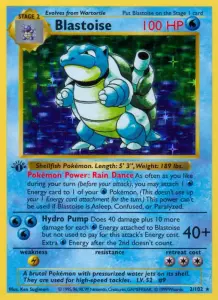
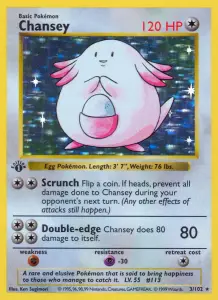
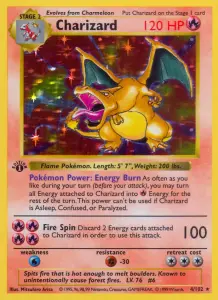
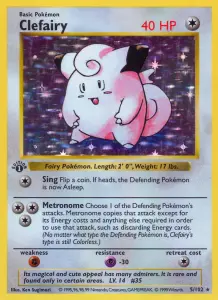
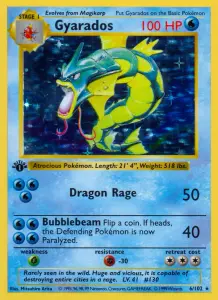
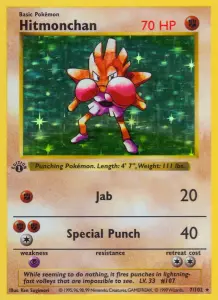
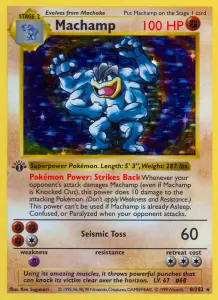
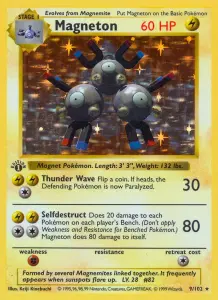
Pokémon & One Piece collection tracker: Not just cards.
Your cards.
Digital Binder is a free, browser-based card binder and collection tracker for the Pokémon TCG (English and Japanese) and the One Piece Card Game (English), run by two collectors as an unofficial fan project.
It's the first holo you pulled. The page you finally finished. The empty pocket you're saving for something special.
Arrange your collection on 4, 9, 12 or 16-pocket pages: drag cards into pockets on a computer, or tap to add them on a phone. Keep owned and missing cards in the same layout, with the gaps easy to see, or make a whole Wishlist Binder for the cards you are still hunting.
- Record condition, price paid, owned-since date, card language, notes and up to five real-life photos for each copy.
- Track graded slabs from PSA, CGC Cards, Beckett/BGS, SGC, TAG or ACE Grading, with a link to the provider's certificate lookup.
- Check Cardmarket or TCGplayer estimates where available.
- Select many cards at once in Edit pages to move them, mark them owned or unowned, or see a price estimate for the selection.
- Share a read-only binder or export occupied pages as a PDF.
- Follow other collectors, like their public binders and show achievements and badges on your profile.
- Pick a look: Classic, Pixel World or Blossom, each with a Dark mode, plus an Animations switch.
Beta: catalogue coverage and artwork can have gaps. Prices are estimates. Some finishes use regular-print prices. PDF exports include private card notes.
Pokémon TCG & One Piece Card Game binders: Pick your
obsession.
Pokémon
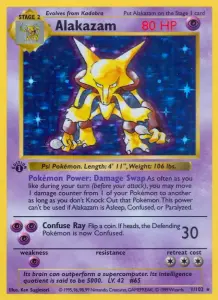
Number order. Favourite artists. Every Eeveelution. Start with a set checklist or build a page around the cards that mean something to you.
Plan a Pokémon binderMore guides: How to organise Pokémon cards, English & Japanese Pokémon in one binder and a checklist for every set.
That one empty pocket
won't fill itself.
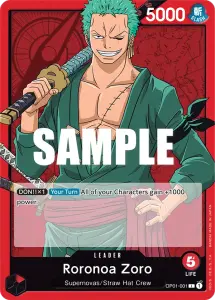
One Piece
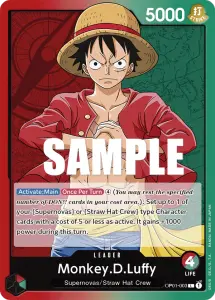
Your leaders up front. Your parallel arts together. Your favourite crew on a spread of their own. Make room for the next wanted poster.
Organise your One Piece cardsThe crew's
all here. Almost.
How to start a digital card binder: From loose cards
to your first page.
Make a home for the cards you keep. Ready to save your own collection?
Calculate your pagesThe free calculator works without an account.
- Open a free account.
Sign up with email or Google. Your binders start private.
- Make room for your collection.
Choose a pocket layout and name your binder. Plan the gaps before your next purchase.
- Place your first card.
Find it in the catalogue, add your own card if it is missing, then arrange the page your way.
Digital Binder FAQ: Before the first page.
Is Digital Binder free?
Yes. Digital Binder is free to use, with no payment details and no advertising in the current app. Sign up with email or Google. Request limits and upload quotas apply.
Which card games and languages are supported?
The Pokémon Trading Card Game, with separate English and Japanese catalogues, and the One Piece Card Game, with an English catalogue. Checked on 5 November 2026, that is 173 English and 197 Japanese Pokémon sets and 60 One Piece collections. Coverage is incomplete, so add a custom card for anything missing.
Is there a phone app?
There is no App Store or Google Play app. Digital Binder runs in a modern web browser on desktop, tablet or phone, and browsers that support it can install it to your home screen like an app.
Can I browse before signing up?
Yes. The homepage shows a sample binder layout, and the page calculator and the Pokémon and One Piece planning guides work without an account. Public binder links also open without sign-in. Saving a collection and using the full catalogue inside the app require a free account.
Who can see my collection?
Binders start private, while your username and profile are public. Turn Public binder on in Share for a read-only link or QR code.
Public views show conditions, notes, acquisition dates, attached photos and inside-cover decorations, but never your email or prices paid. Turning sharing off stops new visits shortly afterwards, though visitors may already have kept copies. The privacy policy covers staff access and caching.
How are prices calculated?
Cardmarket and TCGplayer estimates are available for some entries and are scheduled to refresh every Wednesday and Sunday. Pick a preferred store, with the other as a fallback, or enter your own price. Some finishes use regular-print prices, and estimates may not match your copy's condition or language. Unowned cards don't count towards binder value. Totals can show EUR, USD, GBP, JPY or RON. In Edit pages, select or tap cards to see an estimate for just that selection, including unowned cards; missing prices and exchange rates are flagged.
Can I track graded cards like PSA or CGC slabs?
Yes. Each copy can store a grading slab: the provider (PSA, CGC Cards, Beckett/BGS, SGC, TAG or ACE Grading), its certificate ID and the grade. A saved certificate links to the provider's own lookup page. Digital Binder does not fetch or verify grades, and automatic prices are ungraded-card estimates.
Can I browse offline?
Previously loaded collection data and cached images may be browsable on the same device while your saved sign-in is usable. First visits, uncached artwork, saving changes and refreshing prices need a connection.
What does the PDF include?
Export includes occupied card pages, condition, market or manual prices and shortened private card notes. Blank card pages are omitted. Review the PDF before sharing it: private card notes are included.
Can I import or export a spreadsheet?
No. There is no CSV or spreadsheet import or export. Add cards from the catalogue or as custom cards; the only export is the PDF of occupied card pages.
Does it support Magic, Yu-Gi-Oh! or other card games?
Only the Pokémon TCG and the One Piece Card Game have a catalogue. Cards from other games, such as Magic: The Gathering, Yu-Gi-Oh!, Lorcana or sports cards, can still go in a binder as custom cards with your own artwork and a manual price.
Who runs Digital Binder? Is it official?
Two collectors run Digital Binder as an unofficial fan tool. It is not affiliated with, endorsed or sponsored by Nintendo, Creatures, GAME FREAK, The Pokémon Company, Bandai, Shueisha, Toei Animation or Eiichiro Oda. The About page explains where the catalogue and prices come from.